Introduction
Sometimes customers may need to delay payment for their order. You can still process these orders easily with the
Pay Later option. Choose the Pay Later Option
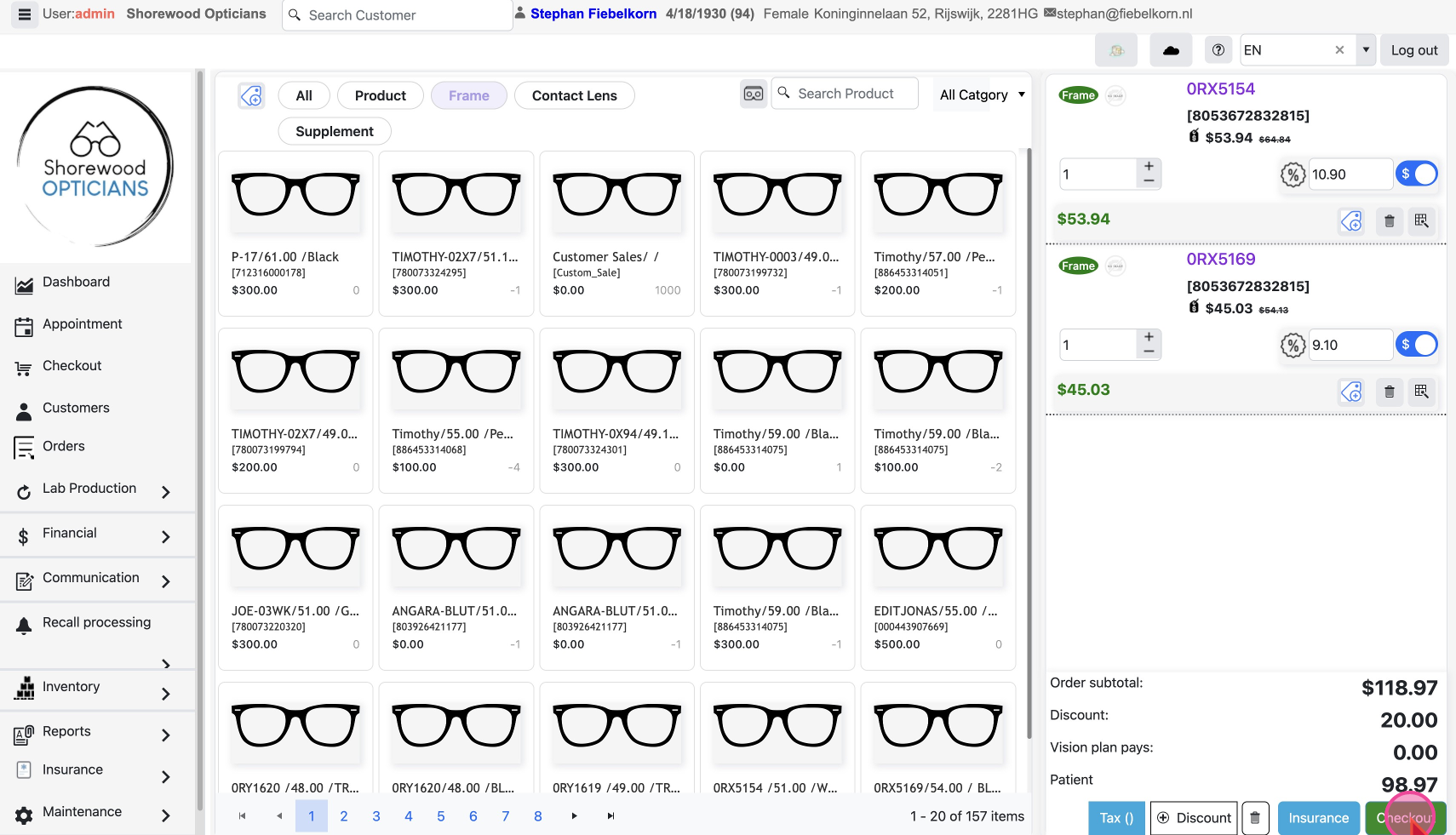
Start the checkout process as usual. Locate and click the
Checkout button at the bottom right of the Checkout page to open a pop-up with the order details.
Instead of taking payment, click on the
Pay Later button, and the order will be created without processing the payment.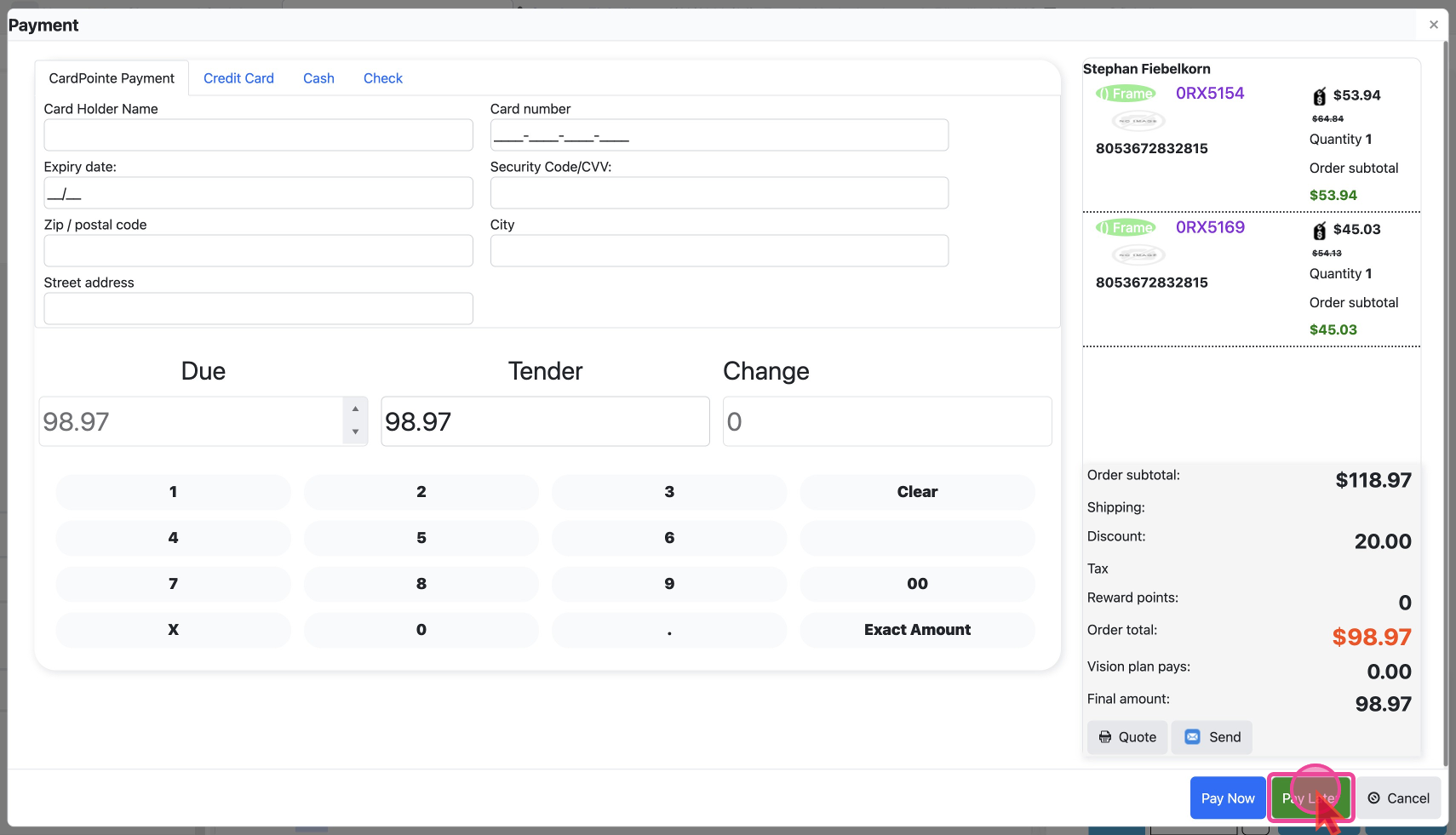
After Selecting Pay Later
You will be taken to the order detail page after you’ve selected to pay later. In the
Financial column you will see the bird eye view of the payments and the payment status would be Pending.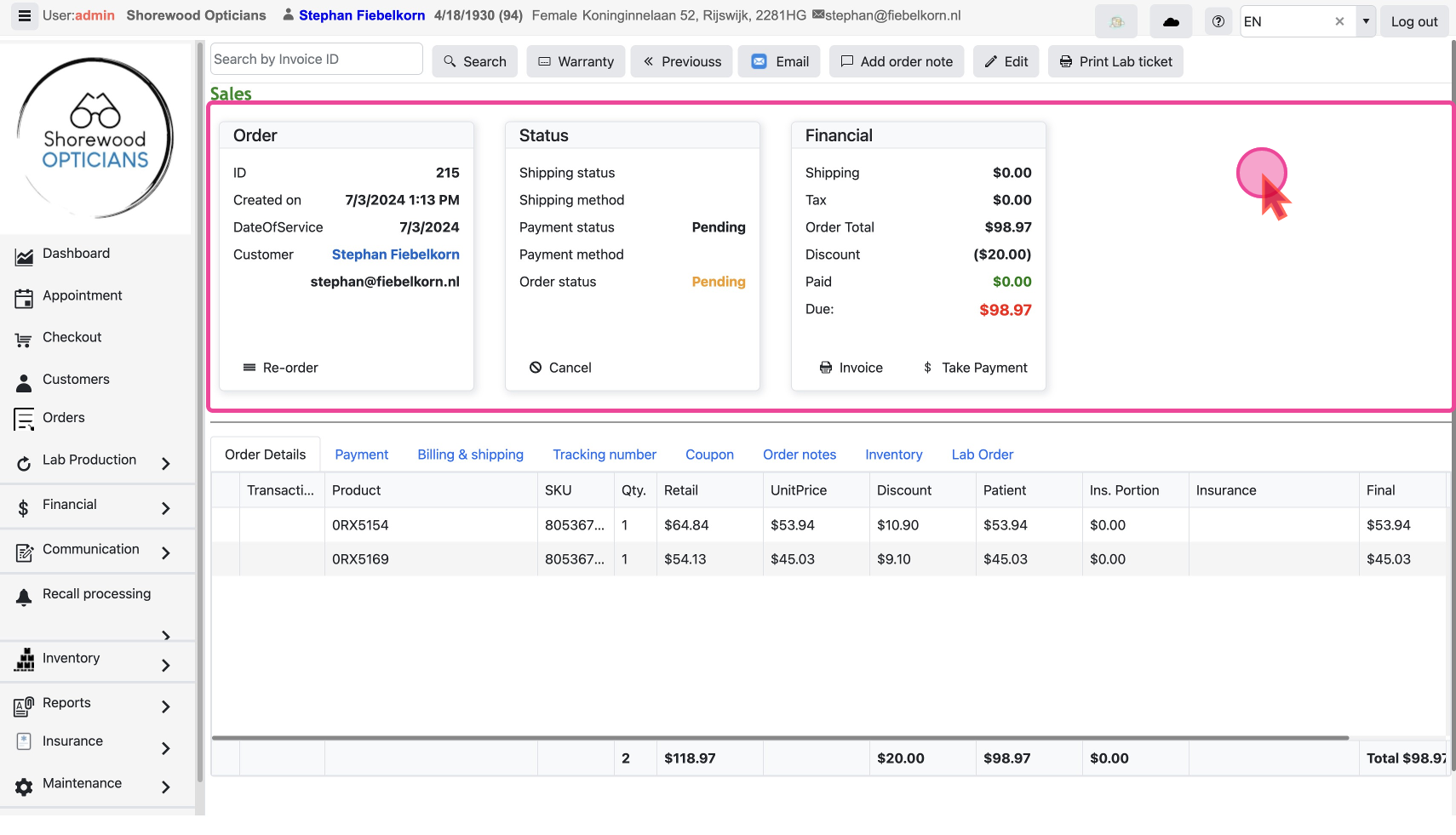
This allows you to fulfill the order while giving the customer flexibility in payment timing.
