Introduction
When you have number of Frames to add and want to add them quickly, we have a spread sheet type interface that enables you to mass-add frames using the tab key to quickly navigate through columns while adding data.
Accessing Bulk Add Frames section
Select the
Maintenance tab in the left Navigation Menu and then select the Frames tab and then click the +Add Bulk button in the Action Toolbar. 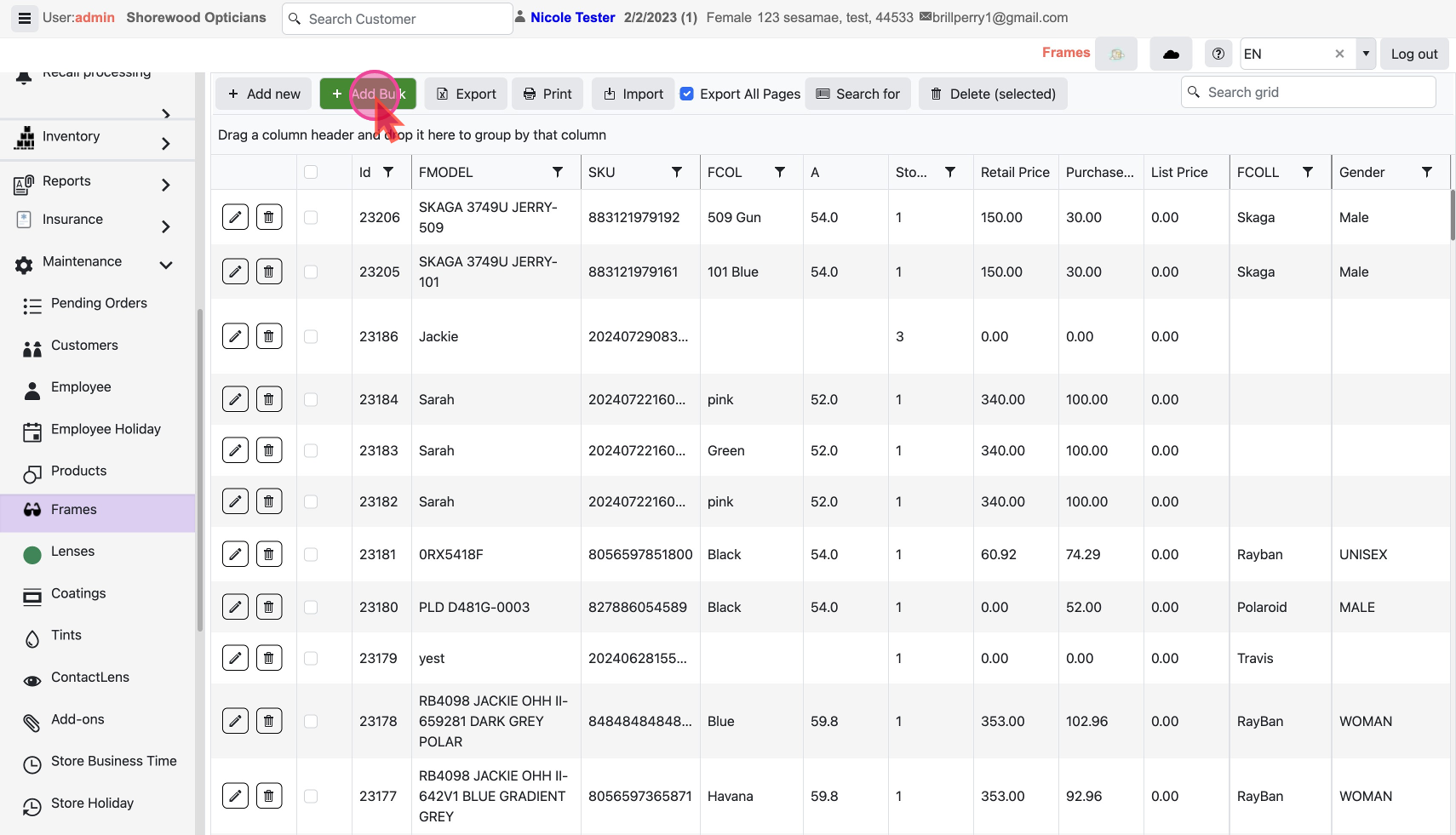
This will show a pop-up with our bulk add feature.
Bulk Add Frame Details
- Click on
Add Newto create a new Frame item and enter the details. You can use the Tab key to quickly navigate between columns for faster input.
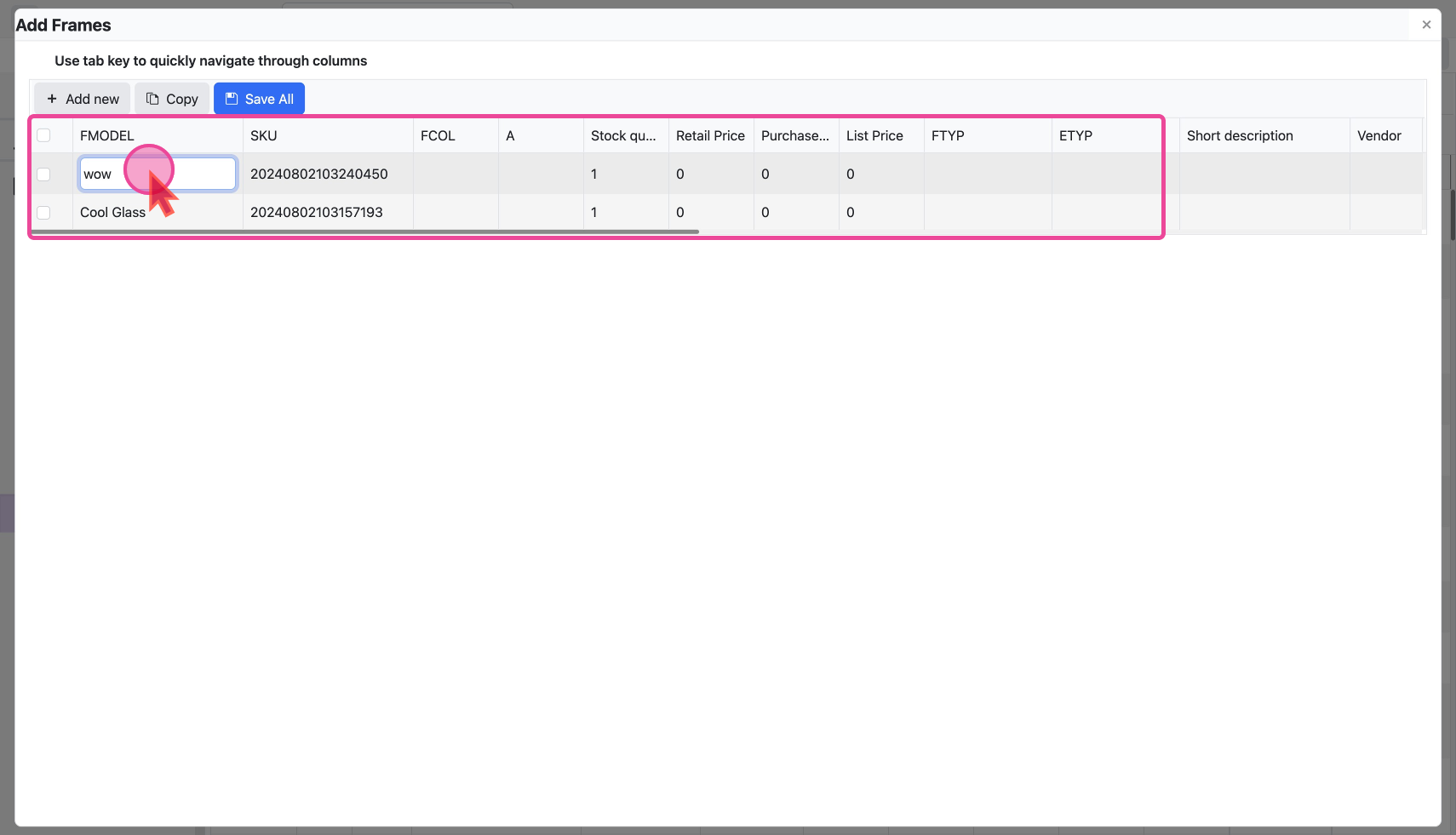
- Add as many frames as you want here. Once done, make sure to click
Save Allto create the frames.
- Refresh your screen to see all newly created Frames
