Introduction
You can quickly add new frames to your inventory from a vast master catalogue of thousands of manufacturers.
This guide will walk you through the process that allows you to efficiently add frames with detailed specifications such as box measurements, colors, and SKU numbers without extensive typing.
Accessing Add Frames From Catelouge section
Select the
Maintenance tab in the left navigation menu and then select the Frames tab and then click the Search For button in the Action Toolbar. 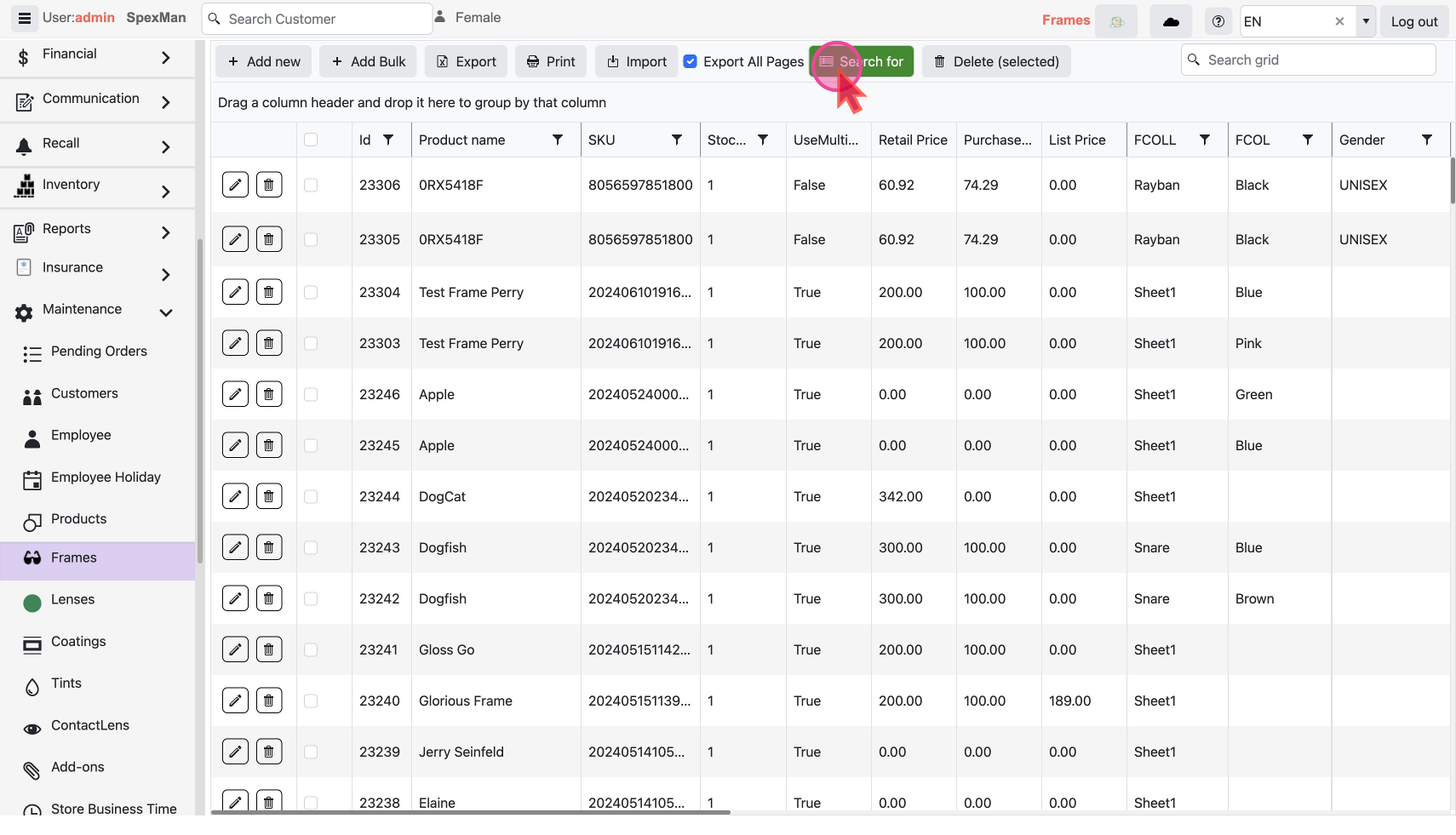
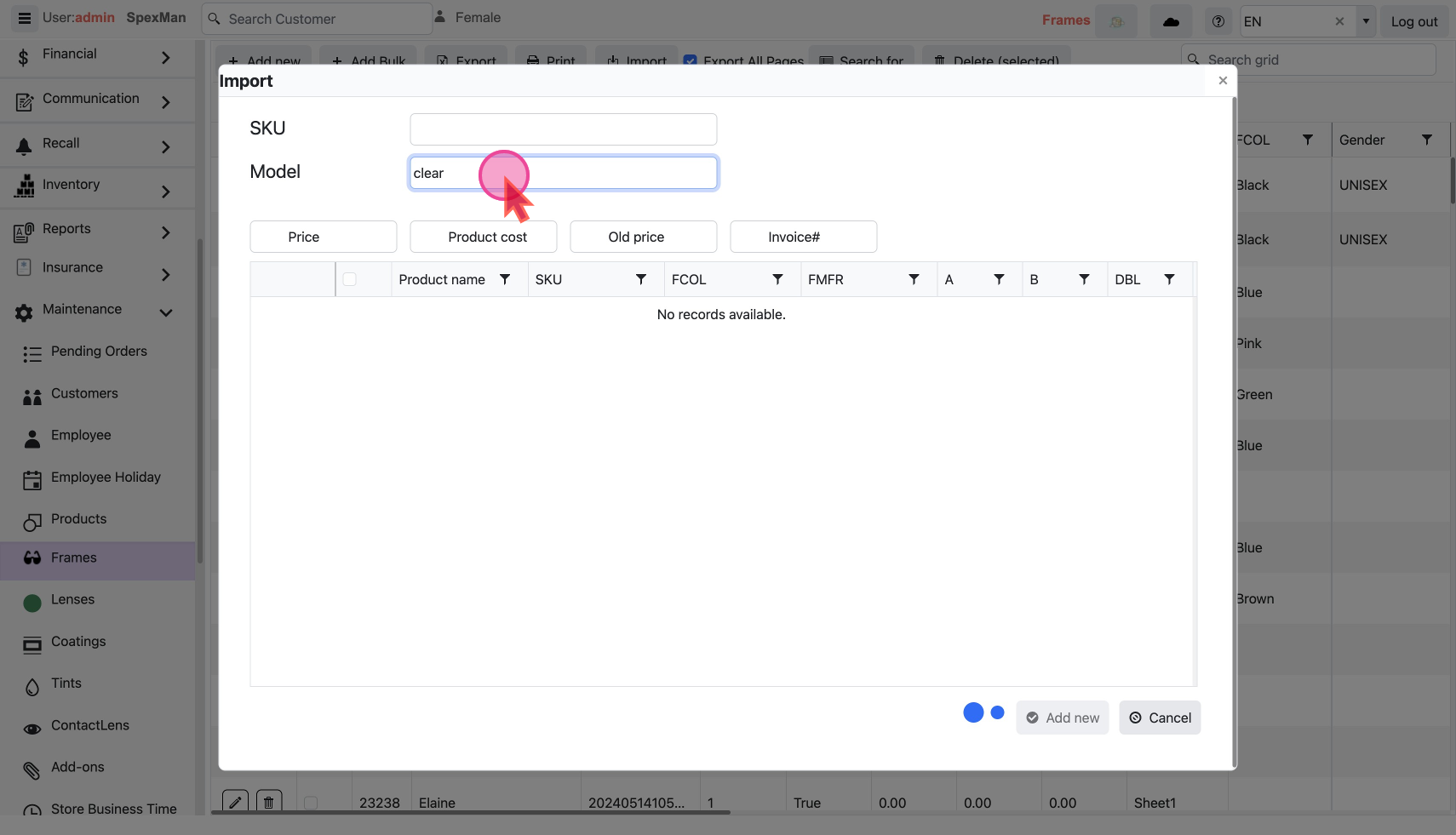
This will open a pop-up window with a form.
Search By SKU or Name
- Search using an
SKUnumber. Enter the SKU in the search bar, press enter, and the system will locate and add the corresponding frame.
- OR Search using
Modelname of the frame or manufacturer you are looking for andpress ENTER. For example you could search for type "clear".
Select and Add Frames
- Our system will do a online search of our Catalogue and if found -
- list of frames will appear from different brands and product name with “clear” somewhere in name, like ClearVision.
- or a single Item for a SKU.
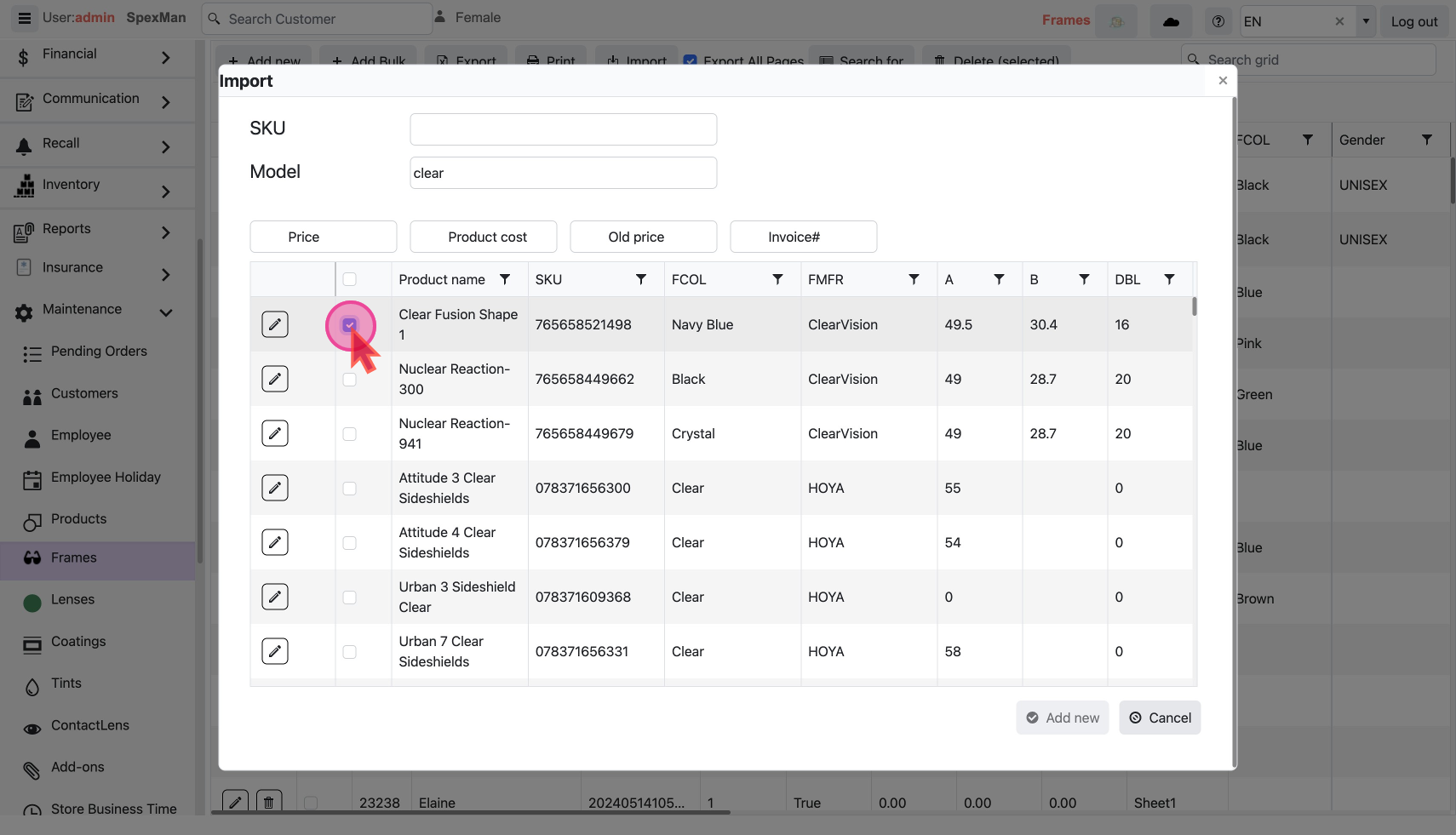
- Select one or multiple frames you wish to add to your inventory.
- Click on
Add newbutton to confirm the addition of the frames.
- If a search yields no results, then
no records availablemessage will flash.
Refresh and Verify
Refresh to view the updated inventory with all specified details like colors, manufacturers, genders, bevel types, and box measurements etc. automatically filled.
