Introduction
Configuring both gradient and solid tints for lenses in your system can enhance your product offerings and meet diverse customer preferences.
This guide details the steps to set up and price various tints effectively.
This tool saves an immense amount of time manually entering in the multitude of tint options.
Accessing the Create Products Section
Select the
Maintenance tab in the left Navigation Menu and then select the Tints tab and then click the Create products button in the Action Toolbar. 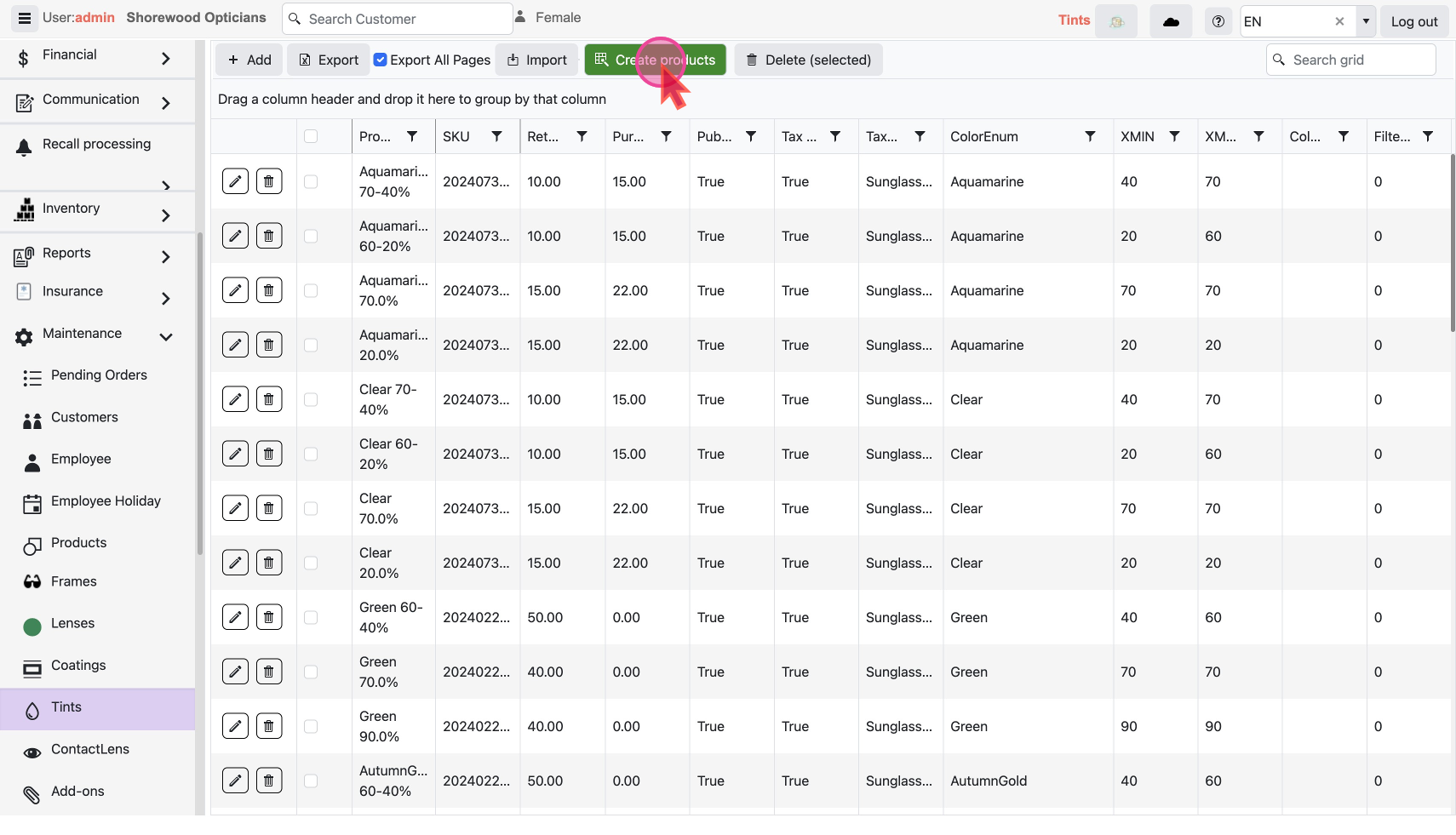
This will open a pop-up window with a form.
Generate multiple combinations of Tints
Choose Colors
Select the
Colors Enum of tints you wish to offer. Add as many as needed.
For example, choose from options like bronze, Havana, and rose.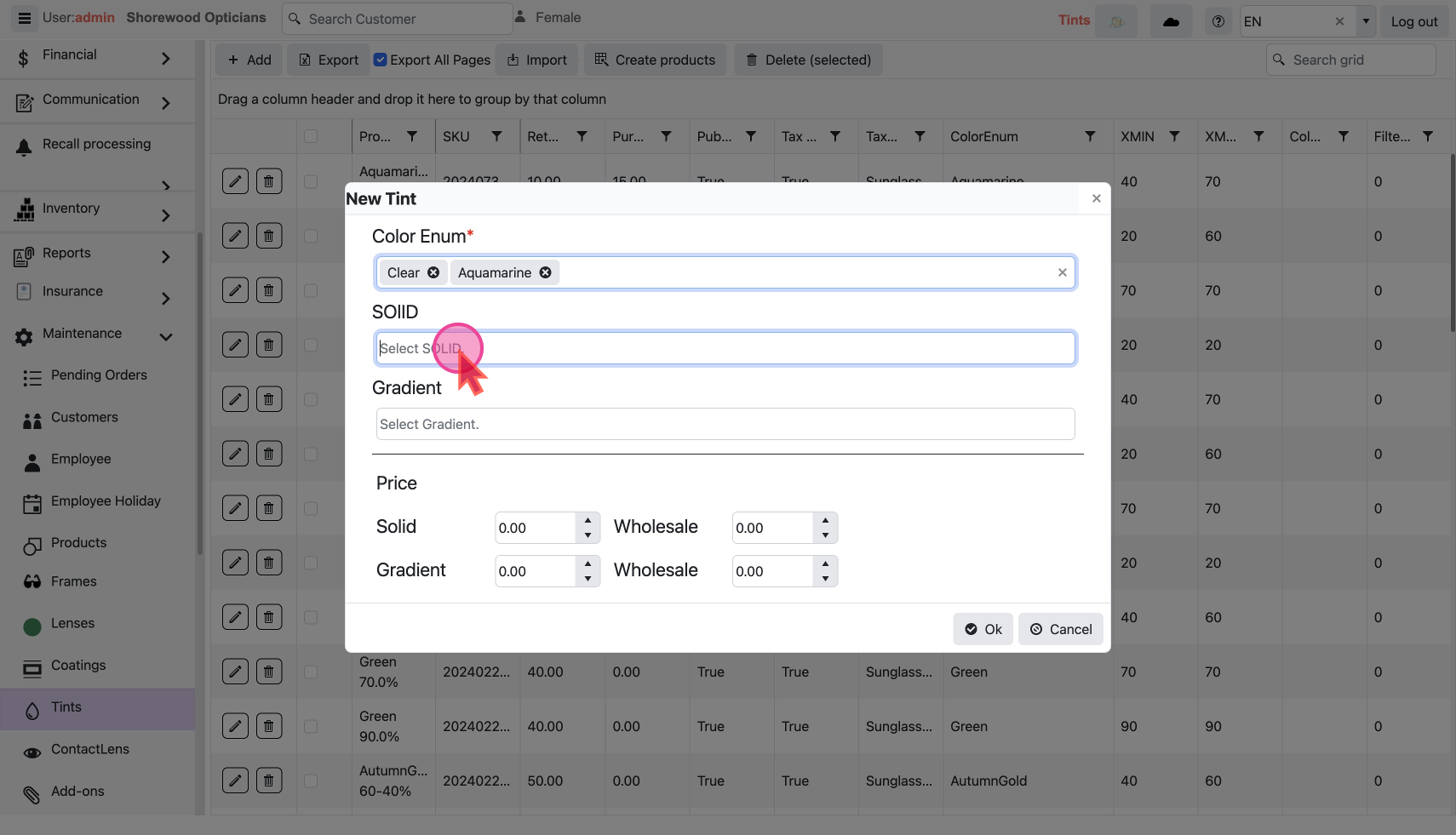
Define Tint Density
Set the
SOILD density for each tint, reflecting different levels of opacity.100% indicates an extremely dark tint and 10% indicates a very light tint.
Configure Gradient Tints
For gradient tints, define the
Gradient rules that describe how the tint transitions from top to bottom.A gradient option like an 80-30%, would be very dark on the top and much lighter on the bottom.
Pricing the Tints
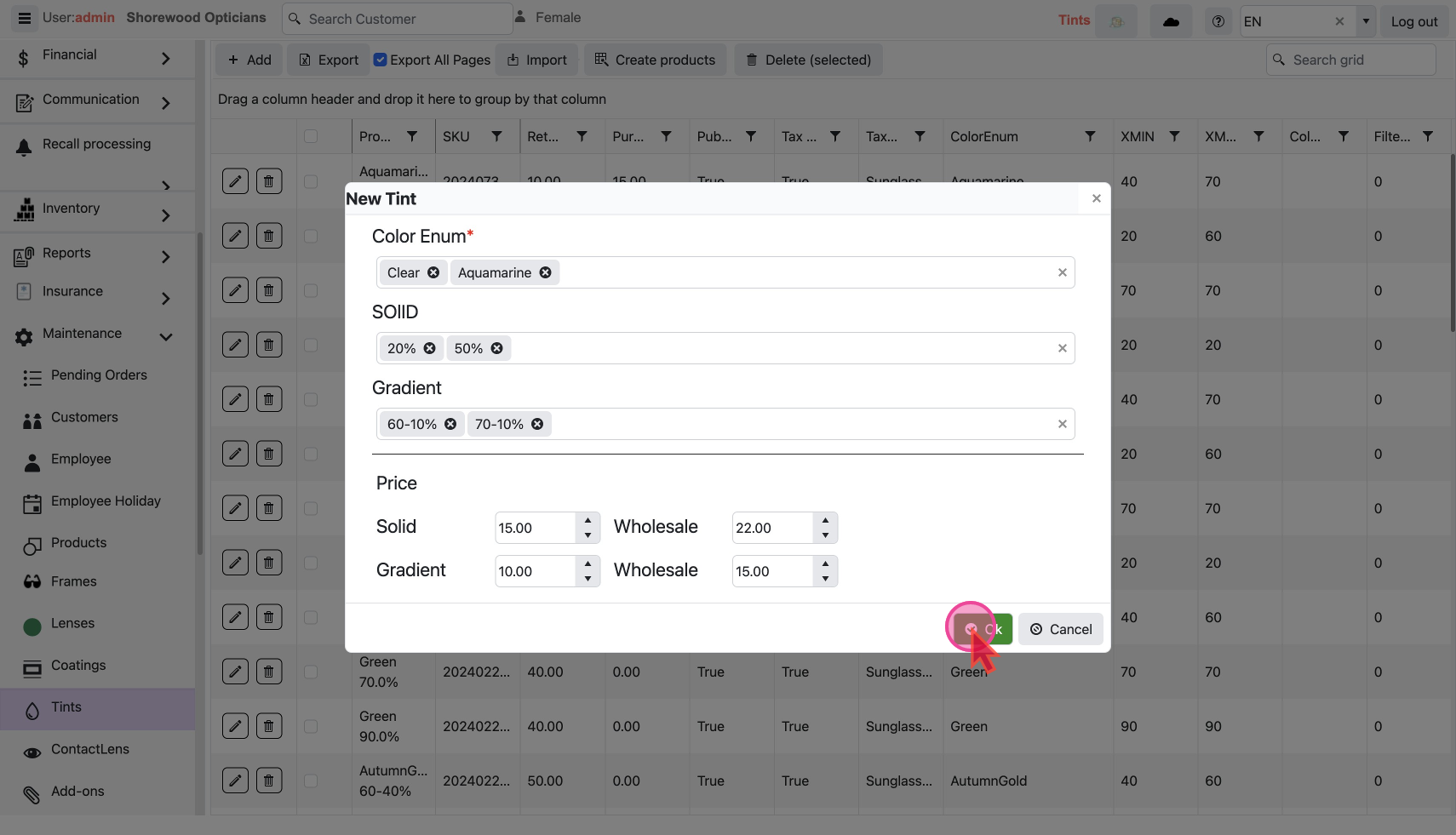
Prices should be entered per lens and not as a pair.
e.g. if the normal price for a solid tint is $30, set it at $15 per lens for retail.
Determine the pricing per lens for each tint type, e.g.
Solid and GradientSet wholesale prices for each tint, if required.
Save and Refresh
- Once all prices and options are set Click
OKto create the tint combinations, how many are created will depend on your inputs.
- Close the creation window and refresh your screen to see all newly created lens combinations listed, complete with their respective SKU numbers, filter types, and colors.
You can now
change the the details of individual Tint
or do mass changes by export/import
