Introduction
As you do customer checkouts, Orders are created and then have to be managed till finally handling over of the items is done to customer.
Between sale and delivery there are number of things happen from sending of Order to Lab, following up regarding status of the orders, receiving orders from lab and finally delivering them to customer.
Accessing orders list page
Select the
Orders tab in the left Navigation Menu to open the orders listing page.
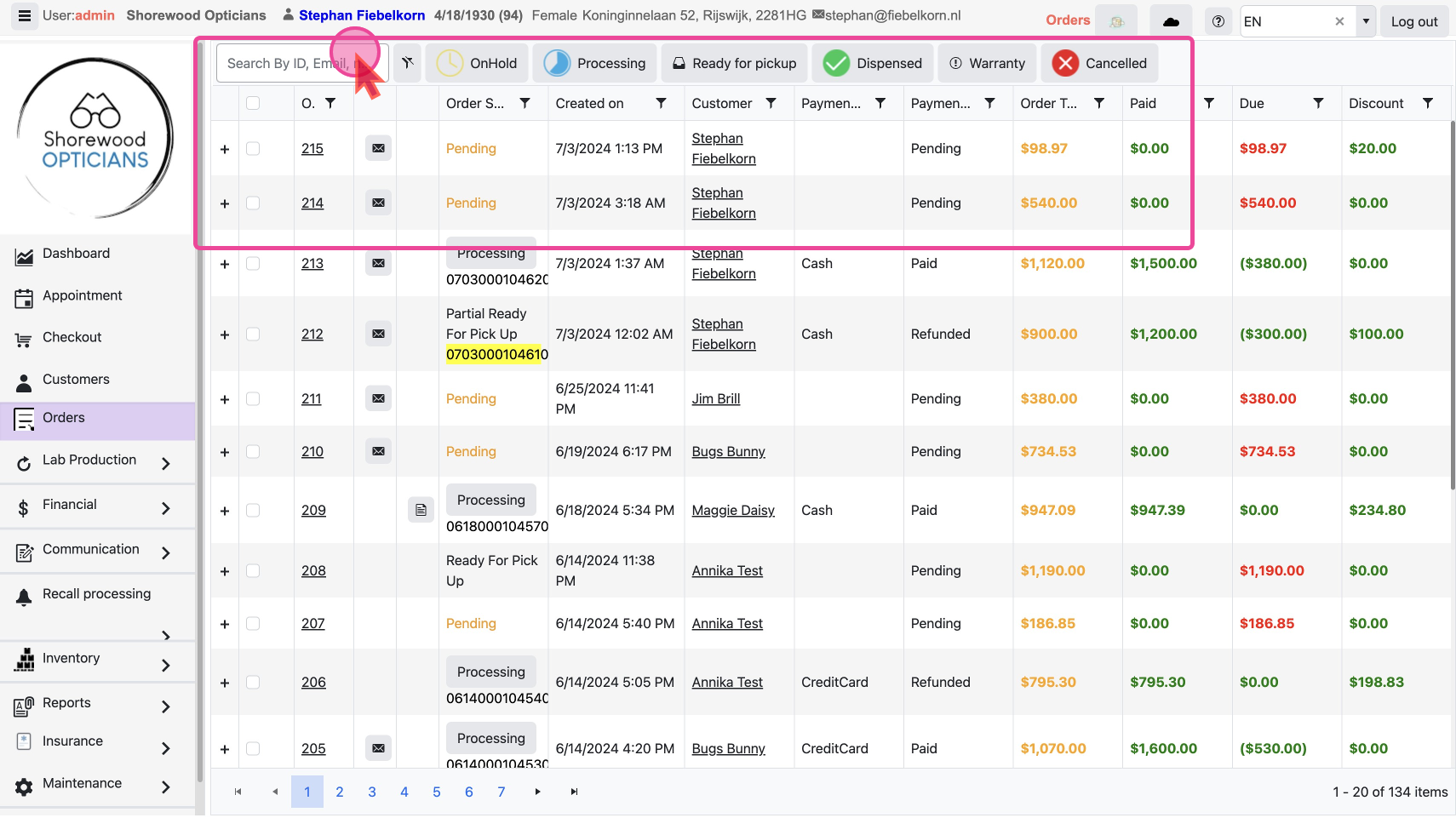
You can see all of your orders and their details here.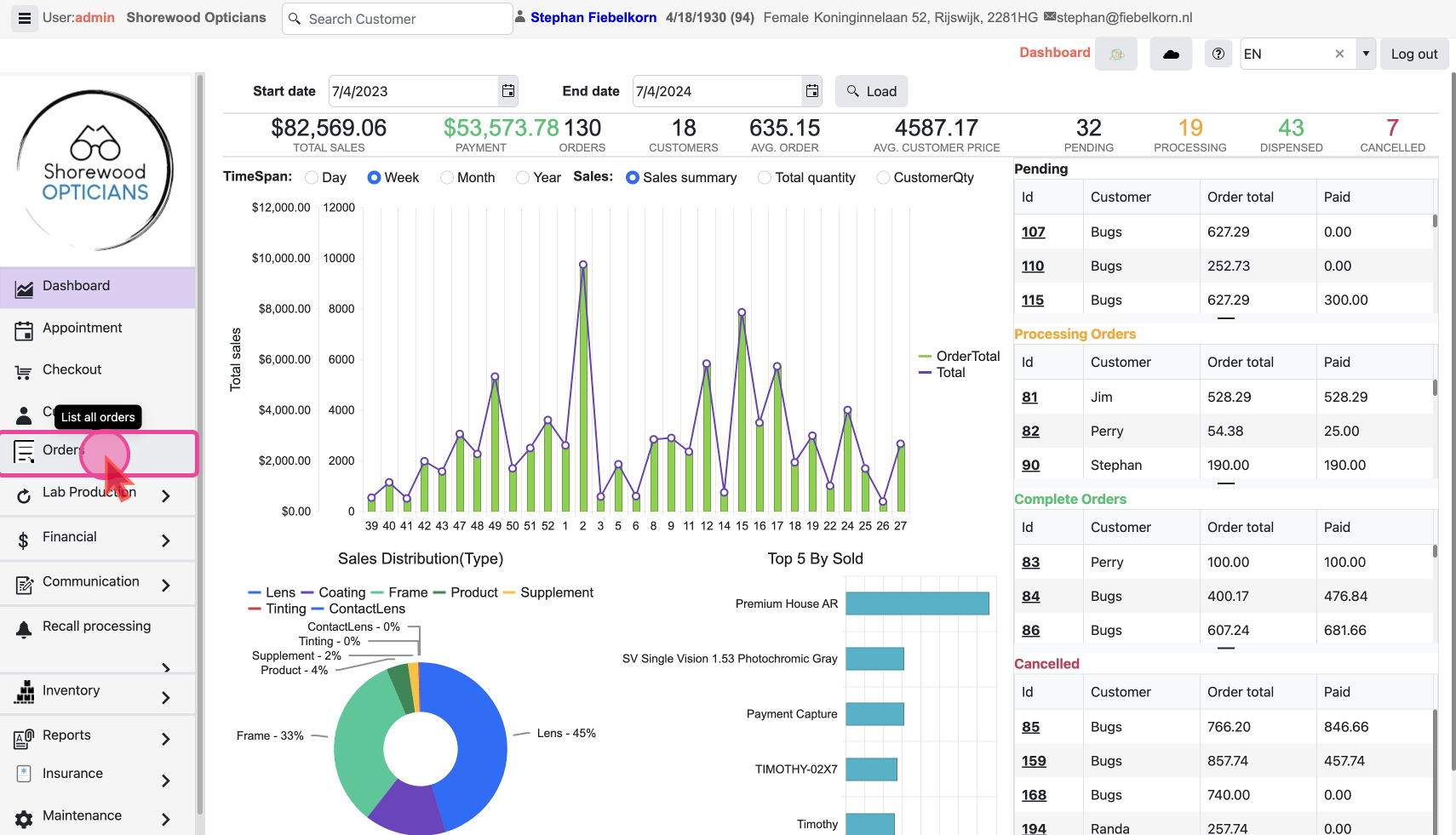
Find and manage all your orders by using the search and filters to quickly locate specific orders or view orders by status.
The Action bar
The top bar has the following -
- Search field - Search for order by customer name, email or order Id
- Clear Filter Button to clear any applied Filter and show all Orders
- Filter by Status Buttons to filter the Orders quickly by their Status
What are the different Order Status to Filter On?
OnHold: Orders that arePendingmeaning yet to be sent to Lab for processing.
Processing: Orders that have been sent to Lab are being worked on.
Ready for pickup: Orders that have been received from Lab and are ready for delivery.
Dispensed: Orders that have been delivered to the customer.
Warranty: Orders related to warranty claims or services.
Cancelled: Orders that have been terminated or withdrawn.
Data Columns
The main columns of interest are
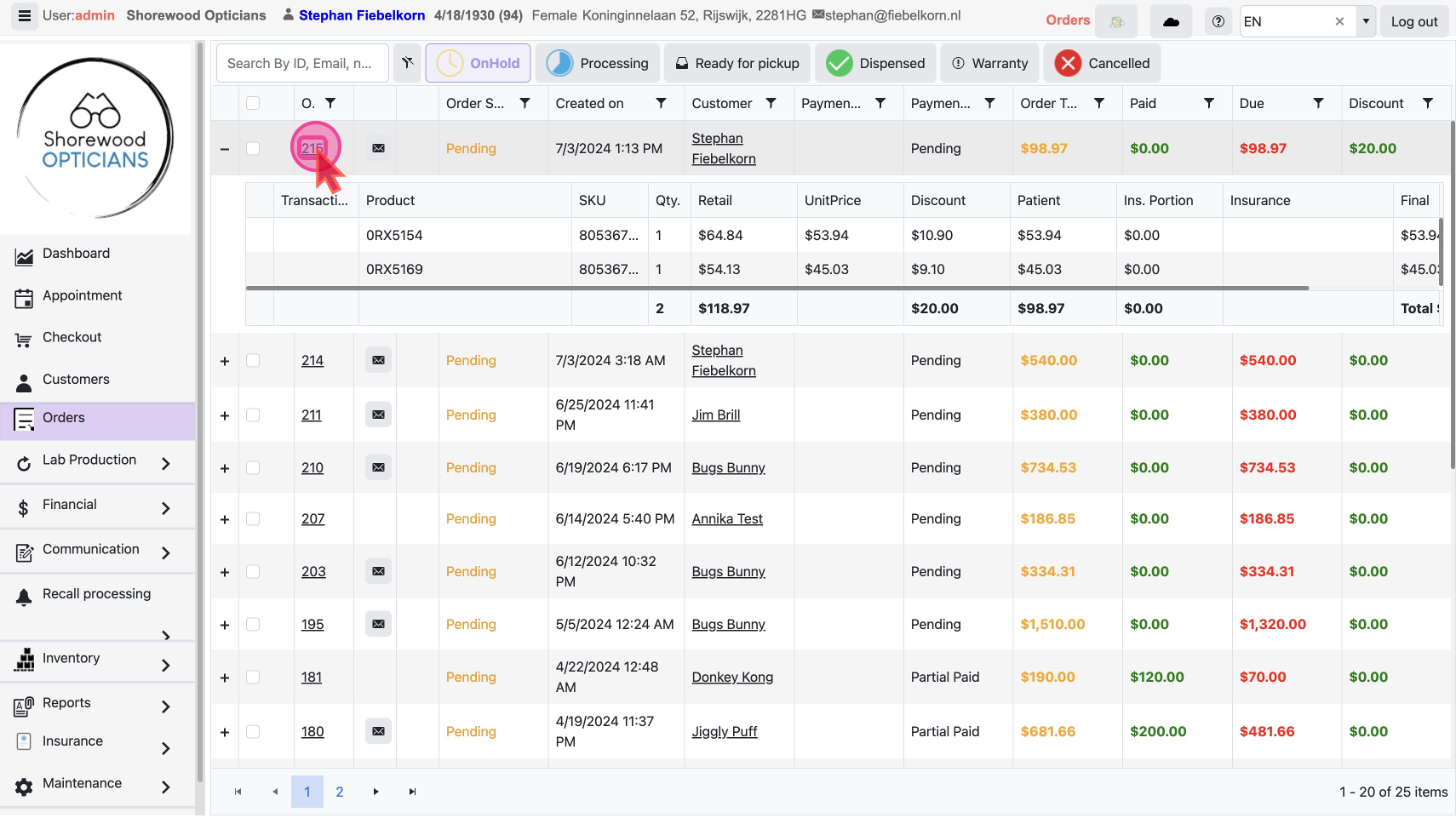
- + Clicking this
PLUSicon expands the row to reveal data about of all items included in the order.
- Order Status: This shows the status of Order and Provides a
Quick Action Buttonto re-send order to lab
- Payment Status: This shows the payment status - fully paid or pending amount
- Order Id - Clicking the
Order Id Linkwill take you to the Order Detail Page
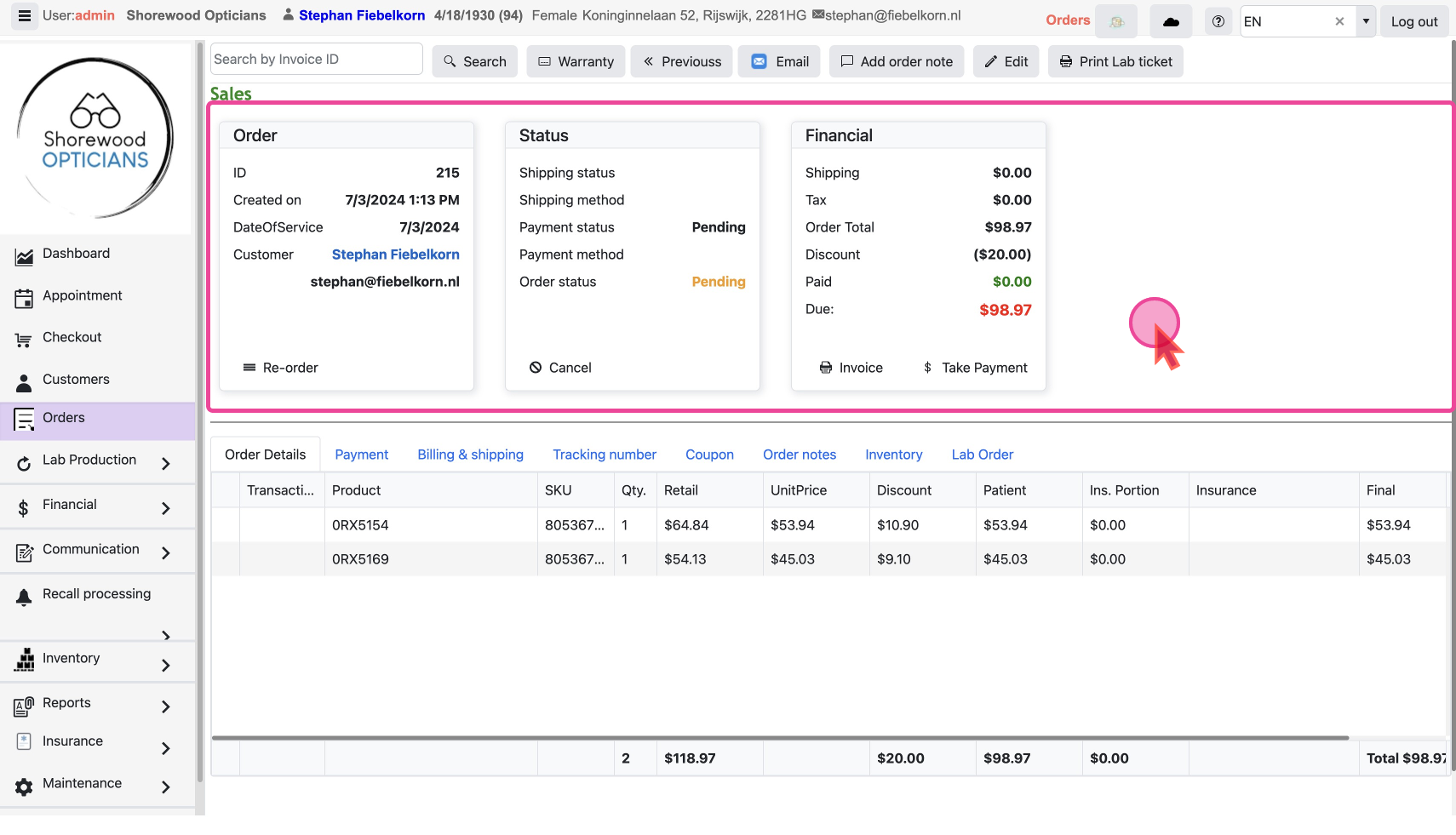
An Order Detail Page
When you click on an
Order ID in the main list, you'll be taken to a order detail page where you can see & manage all aspects of an Order