Introduction
Once you have checked out a customer’s order, you may need to print out the invoice to give to the customer, or email it.
Give Invoice
After the Checkout process, you will be taken to the Order Detail Page, from where you can click the
Invoice button to create the invoice.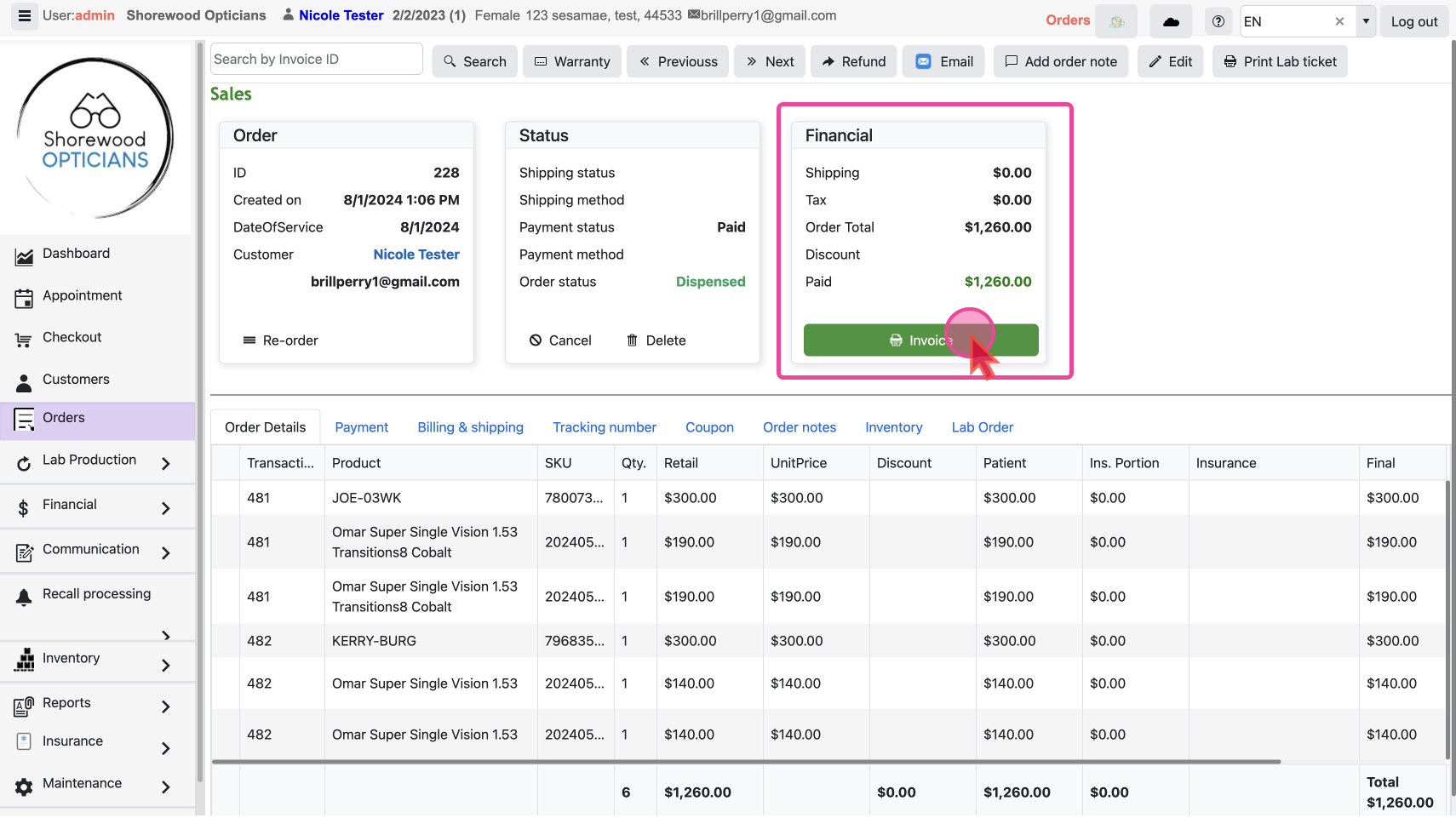
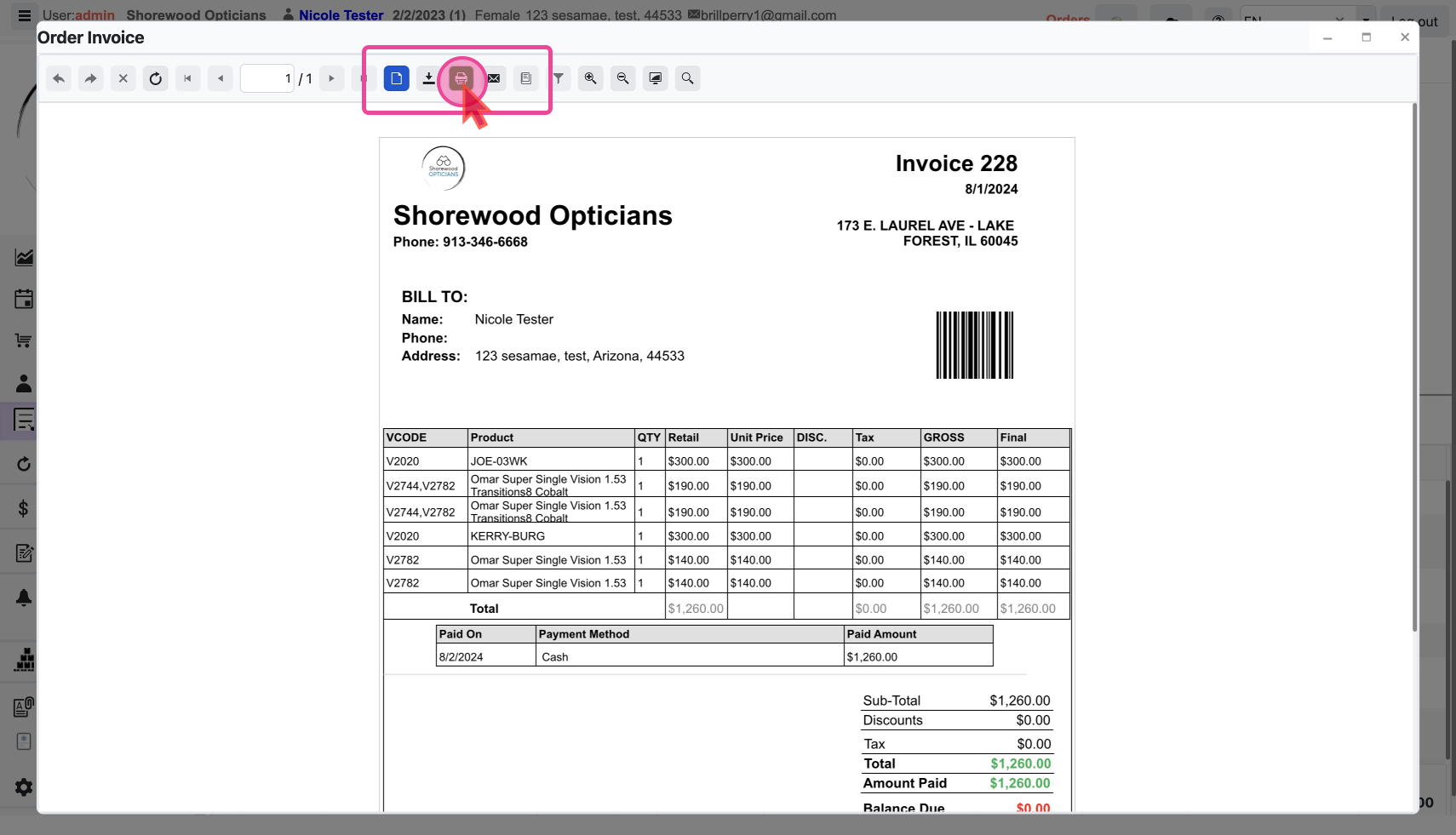
The invoice will be in a popup with a button to
Print or Email it. - Click on the
Printbutton to take a printout of the invoice to hand over a physical copy to the customer.
- Or you can send it via email by clicking the
Emailbutton and filling in the email details.