Learn how to add random products & services that are not in inventory to Order
Introduction
Many times you have items for sale that don’t go into inventory. This is how you can add those to the customer cart.
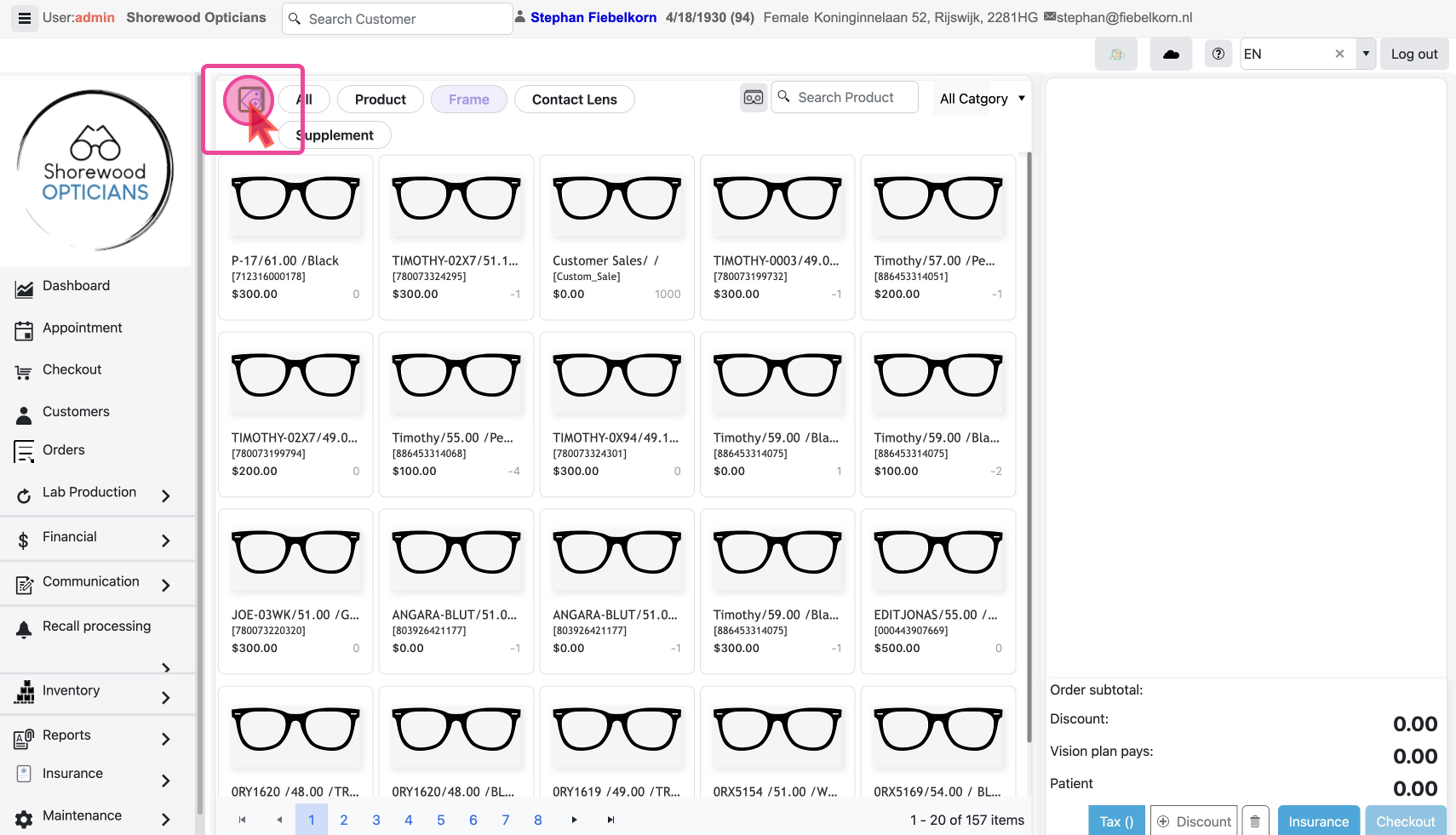
Select the Custom Sale option
Locate and click the Icon Button at the top of the Checkout page to start Custom Sales of the Item not in Inventory. This will open up a pop-up with the form to fill out.
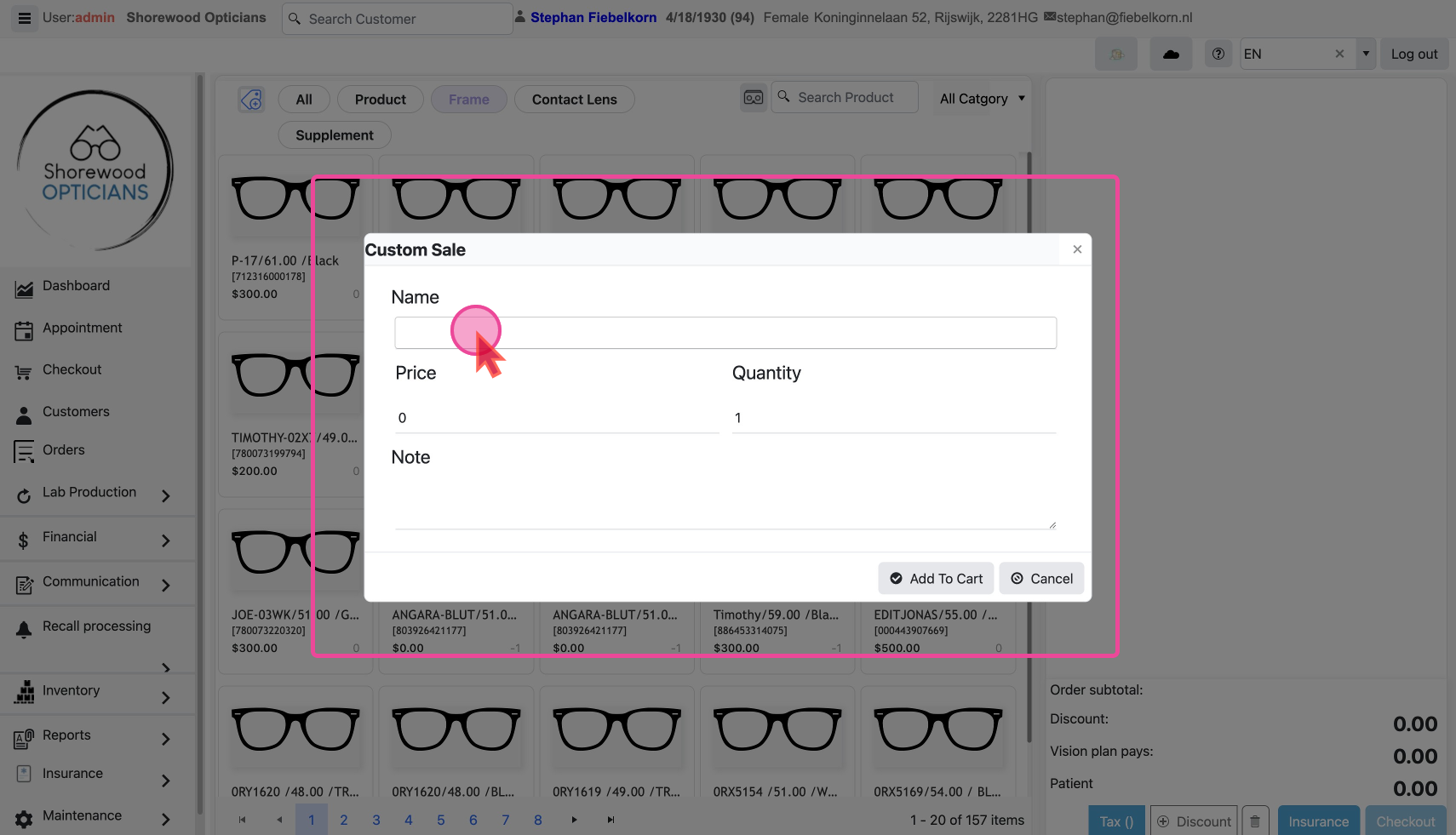
Fill in the Item’s info
Fill in the Name of the item.
Set the item’s price.
Set Quantity for the item.
Click on Add to Cart once all the info is added. This item will now be visible in the cart.