Introduction
You should add common prescribing doctors so that they can be quickly selected when adding prescriptions (Rx).
Doctors are added under the employee section and differentiated by assigned roles.
Access Employee Section
Select the
Maintenance tab in the left Navigation Menu and then select the Employee tab. This will open a page that shows a list of all employees.On the top, there is an action toolbar with the Buttons Add New, Export Import, etc. Learn about Action Toolbar Bar in General.Add Doctor Details
Click on the
+Add Action Button in the Action Bar. This will show a pop-up with a form to fill up.
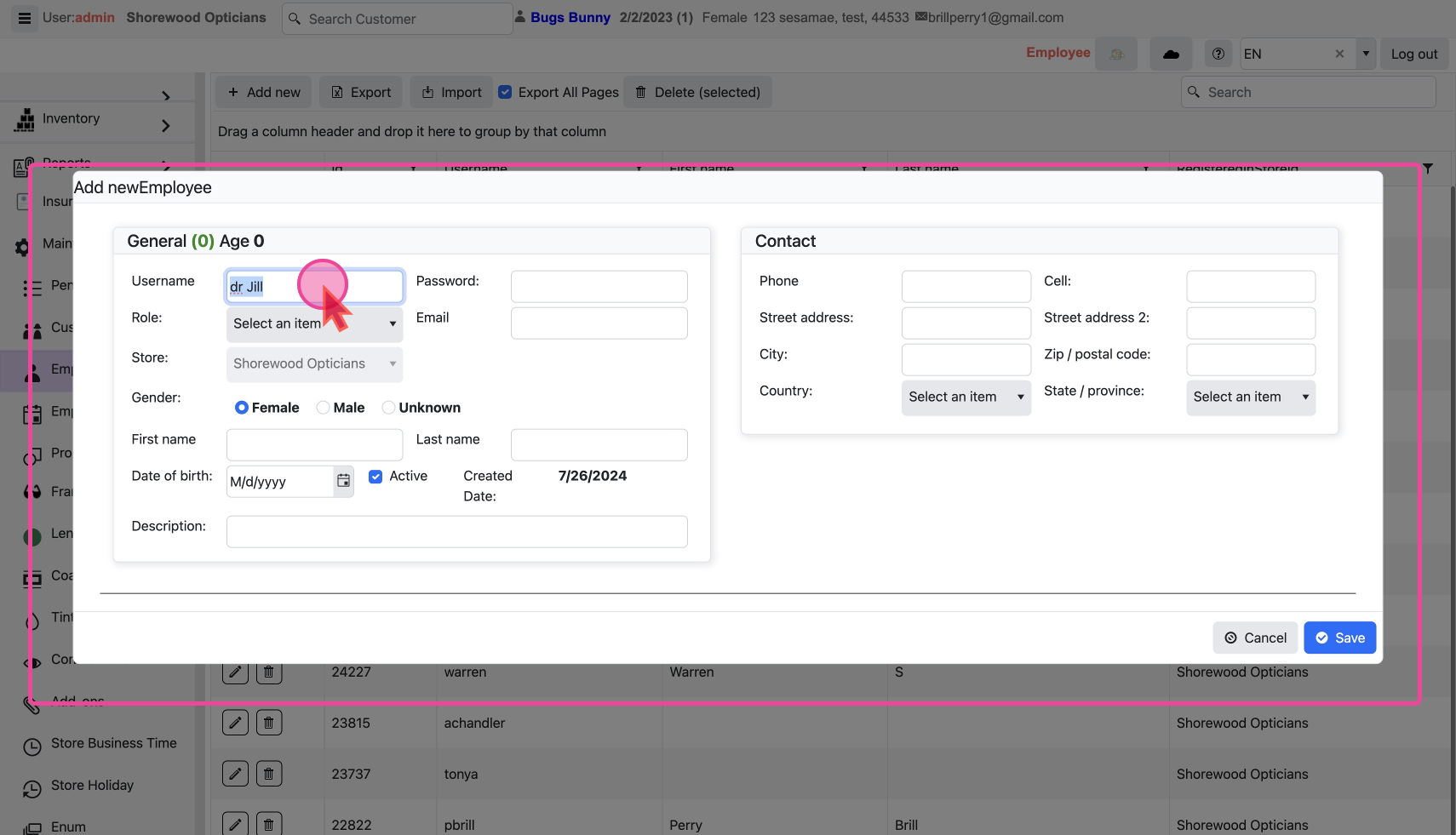
Username
Type in the
Username and NO NEED for a passwordThe Username has to be unique.
There is no need to give a password
Role
Role is what differentiates a employee from a doctor. To add this user as a doctor, assign the Role
Ophthalmologist or Optometrist.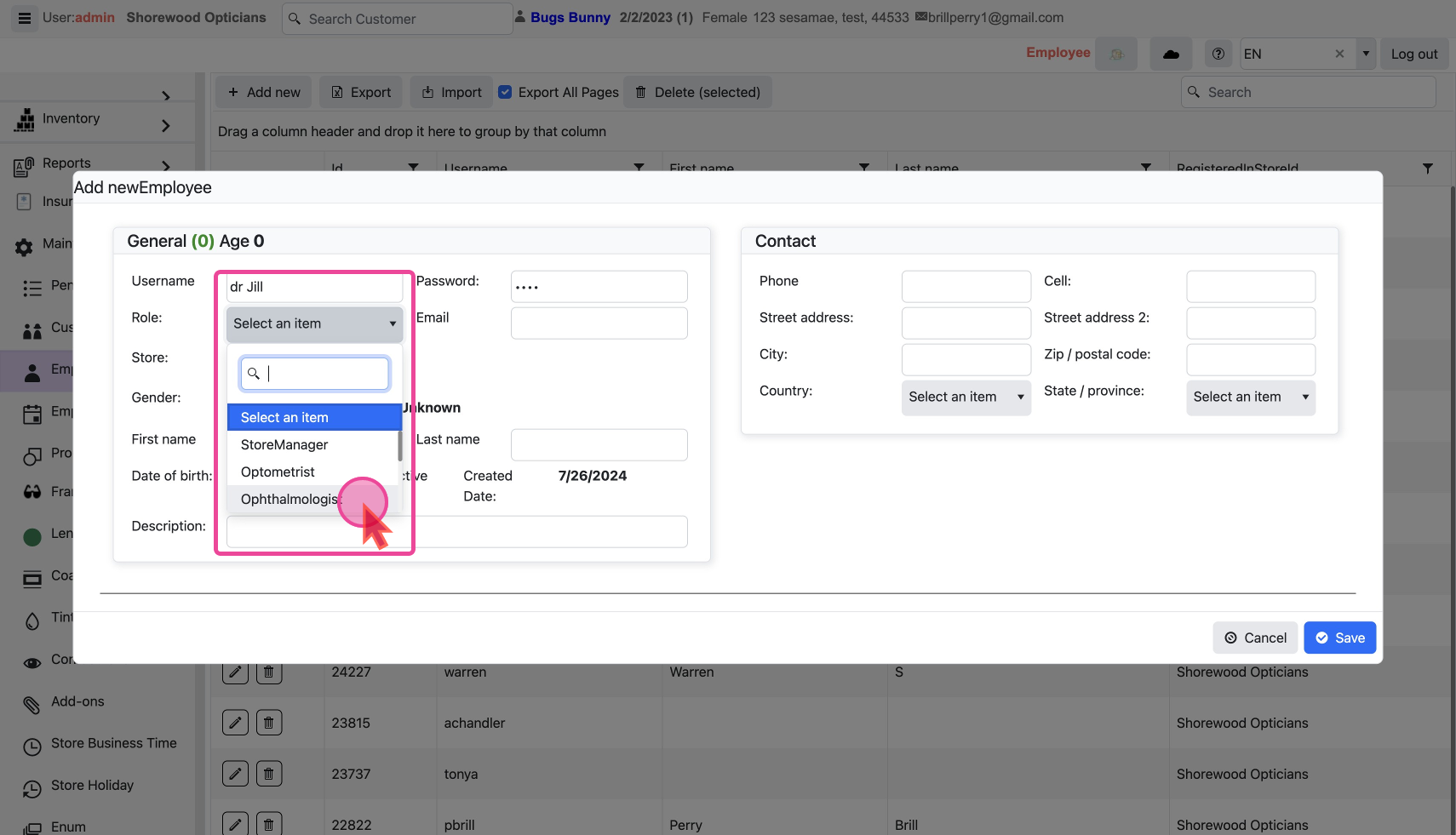
Make the Doctor Active or Inactive
The
Active checkbox shows an employee's working status. - It should be checked If they are currently active.
- It should be unchecked when they are no longer needed.
Click the
Save button to add the new entry.Modify a Doctor
The
Pencil Icon and Trash Icon on each line are used to edit or delete that doctor’s record.
Edit Doctor Details
Click the
Pencil Icon to show a pop-up with a form filled with the existing details.
Change as desired and save. Delete a Doctor
Click the
Trash Icon to show a confirmation pop-up.
Click ok to delete.