Introduction
When a patient wants to use their own frame for a new lens purchase, you need to add their frame to the cart
Learn how to add a patient's frame to the invoice and proceed with the lens order.
Access the POF option
Locate and click the icon at the top of the
Checkout page to add a patient-owned frame to the cart.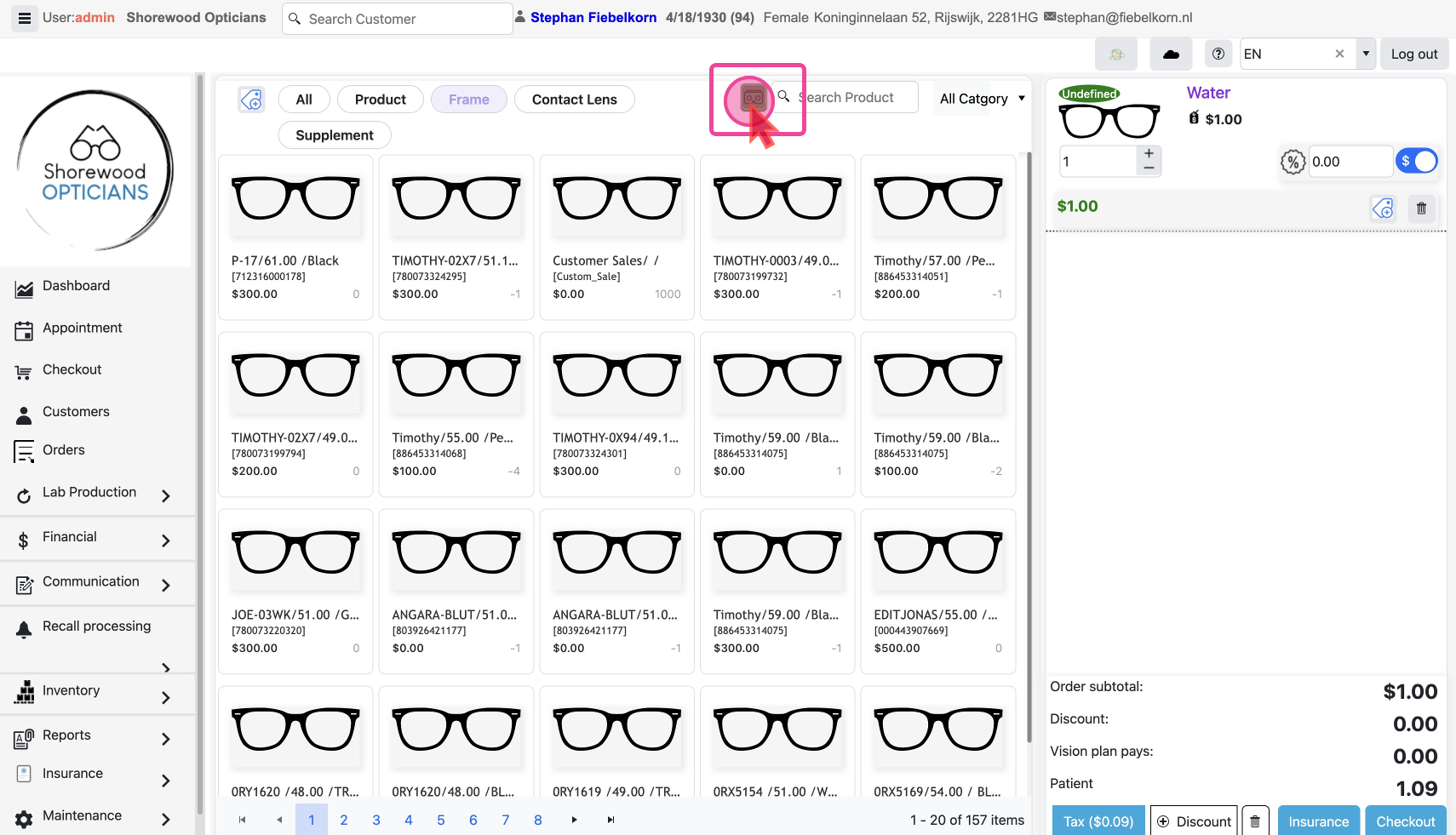
Search & Add existing frame
If the frame is a common model, it might already exist in your database. Try searching for it first using
SKU or Model name.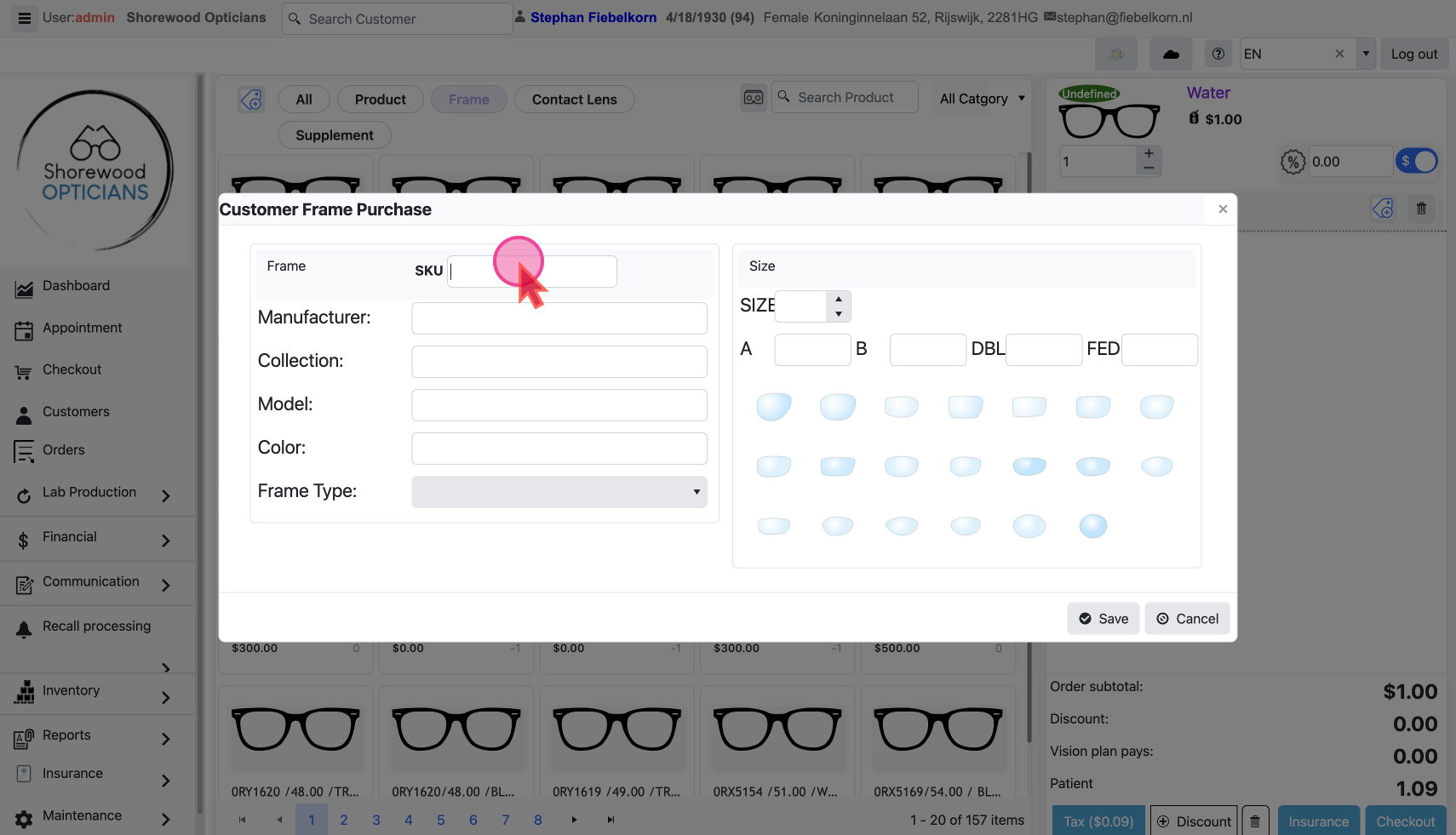
Add frame details manually
If the frame details don’t exist in the database, then you might need to add them manually.
Add details to identify the frame like:
- Collection, Model, Color, Frame Type
- Size and shape info, etc
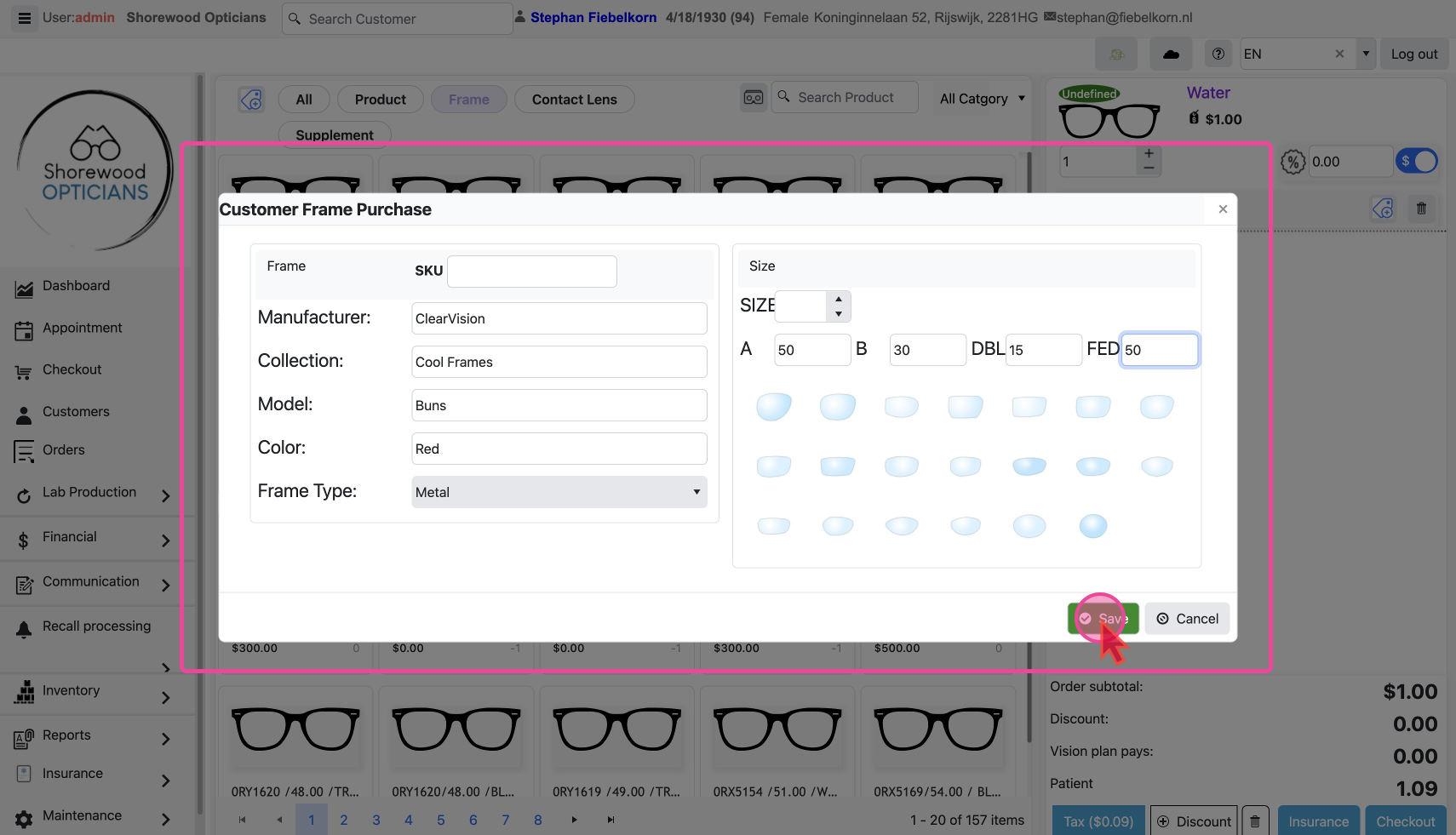
After entering the frame details, click
Save to save it in the Cart. Continue the rest of process as normal Checkout Process
