Introduction
You can manage the tax during checkout. Taxes are based on category and mostly if the category is prescription eyewear, then there is no tax.
Note: Not all items have taxes applied.
Select the Tax button
Start the checkout process as usual. On the
Checkout page, click on the Tax() button on the button right. This will open a pop-up with the list of all of the order’s products.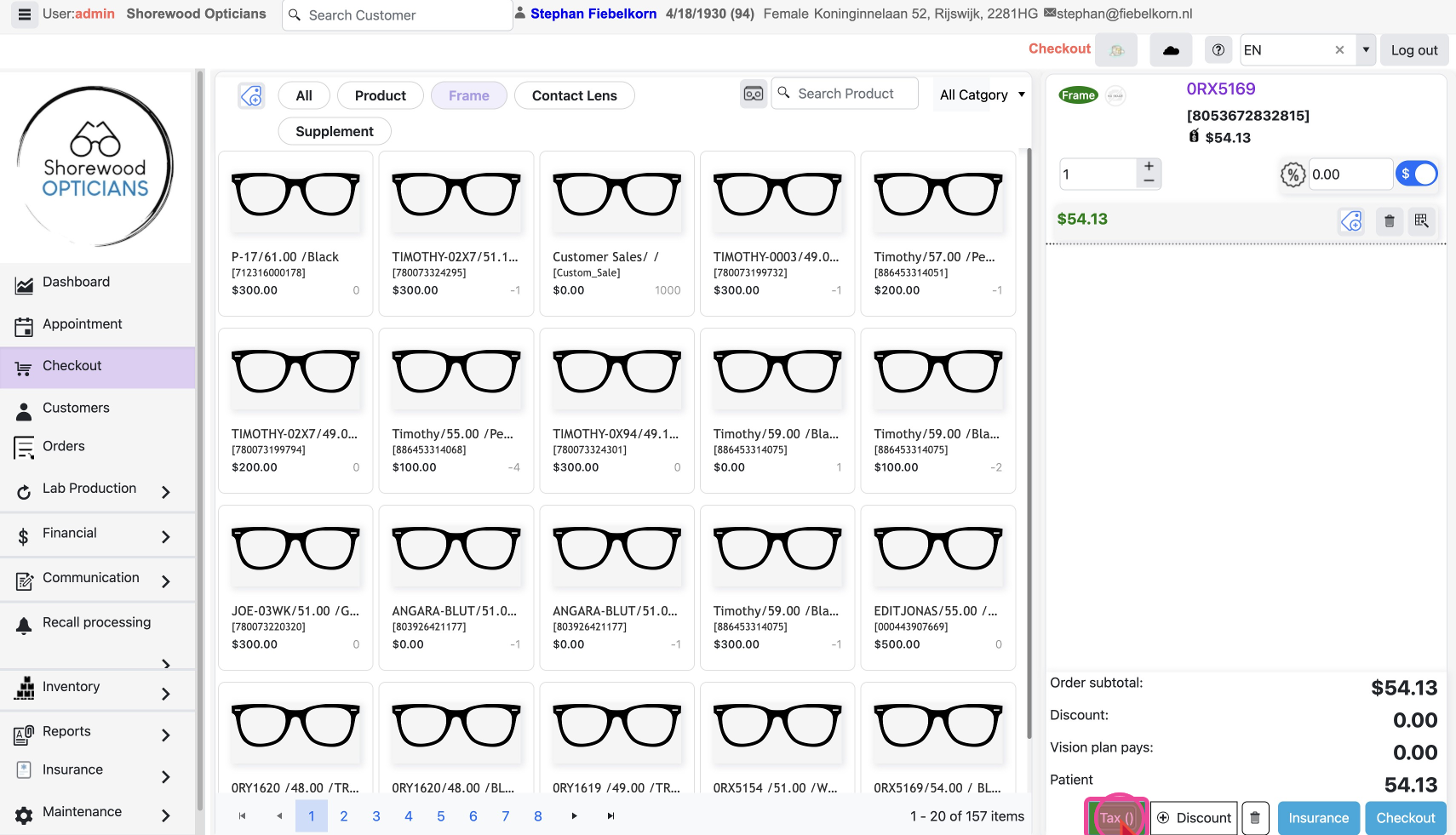
Apply Tax Categories
You need to set the
Tax Category for the products in an order. There will be an option to choose categories for every product.
Select the fitting Tax Category for the products from the dropdown. You will see the tax amount applied right here on each item. Leave blank if tax not applicable.
Click
Confirm to apply the tax amount to the order.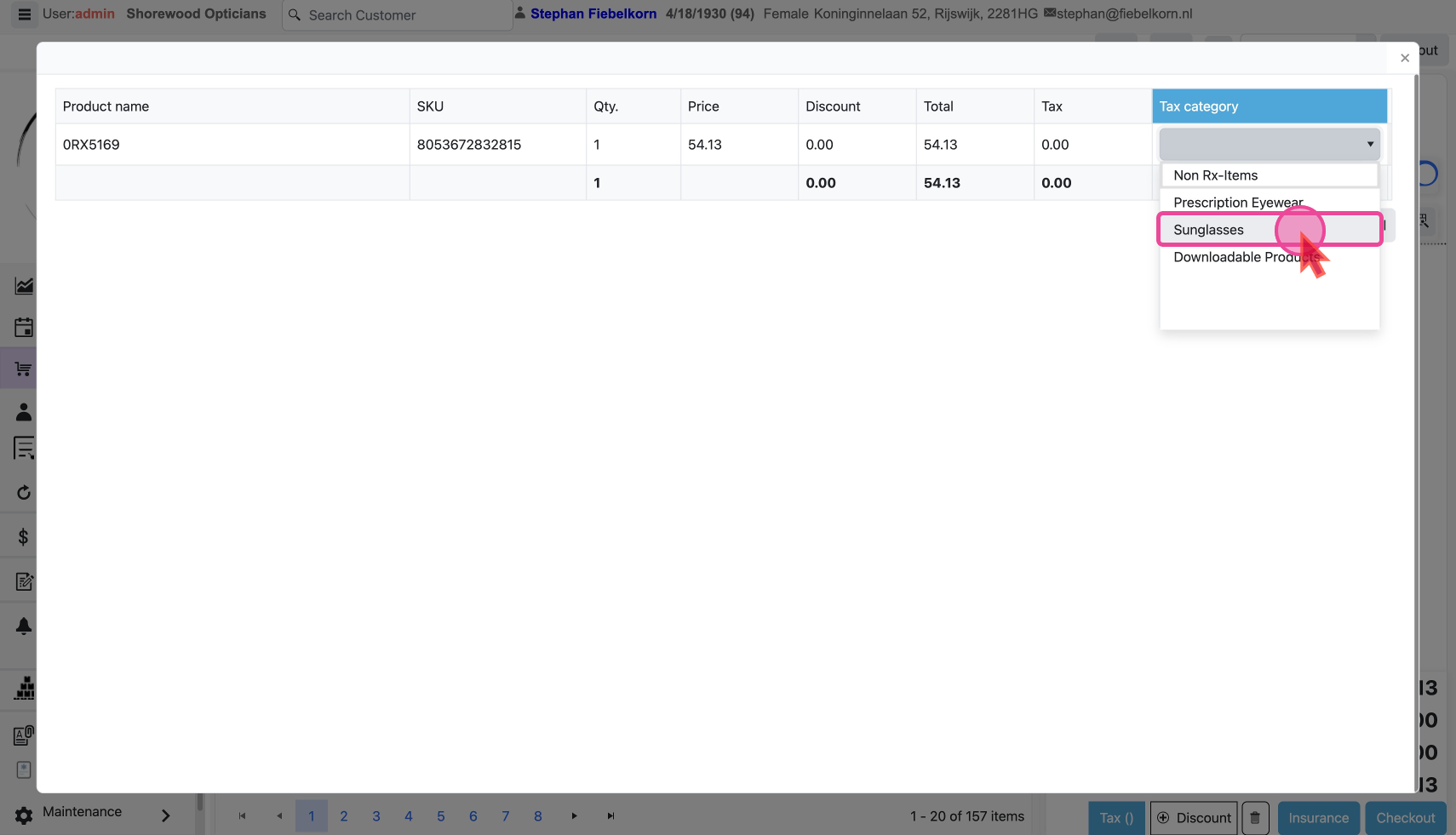
Cart total will immediately reflect the taxes applied.
